Some recent changes to the #SharePoint Look Book has caused an upset in the #Microsoft #Community. The direct resources to the web parts used on the pages are no longer available, so I decided to do a run-through of each template to unpack the template and web parts used. Of course these templates can be easily deployed in your tenant, but not everyone has SharePoint or Global Admin to do so, AND, the ability we had to be inspired from and learn from the Look Book is no longer the same. In this blog you’ll find the screenshots, references as well as the video to walk you through it all.

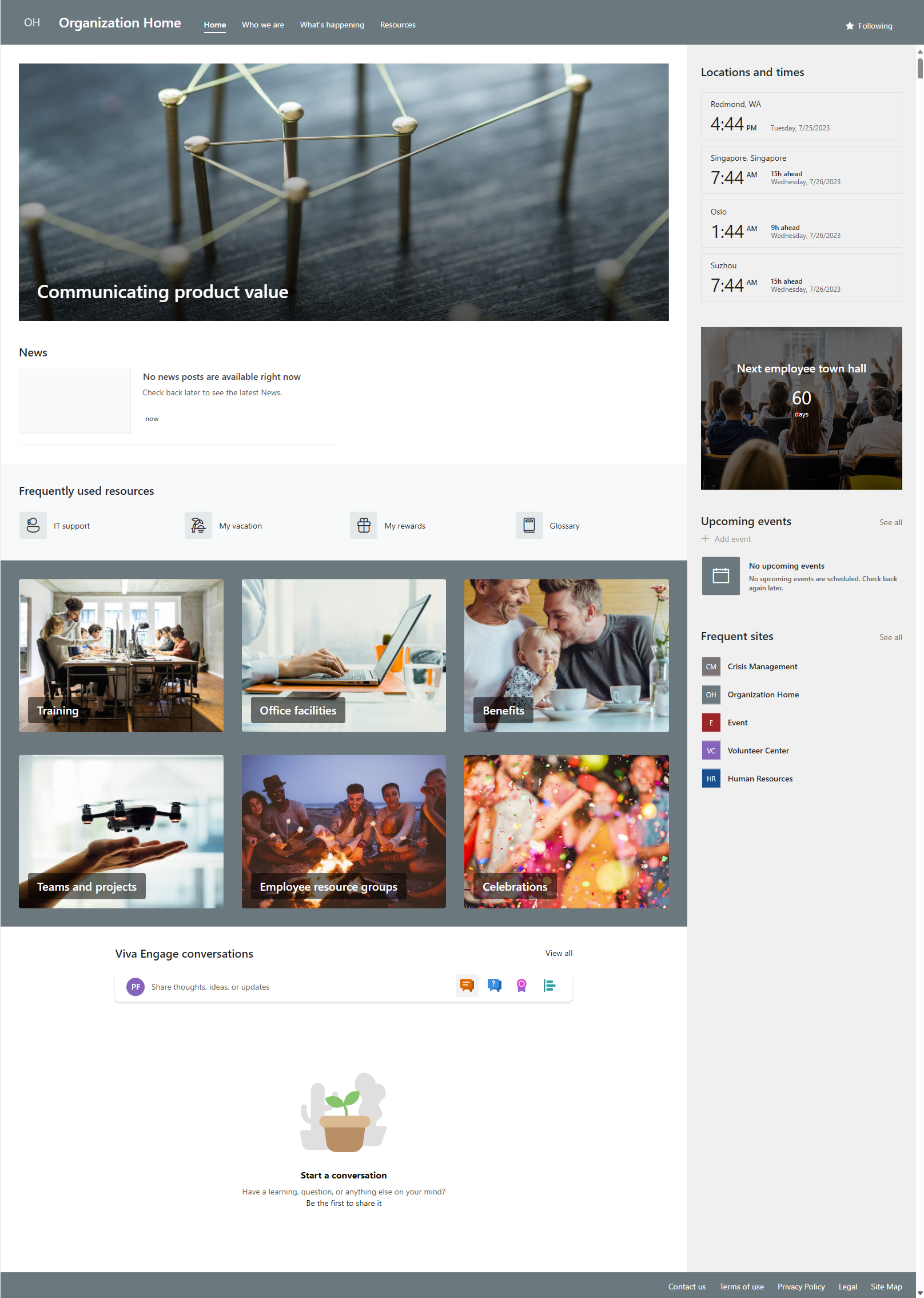
This blog will cover the “Organization Home” template. Below you’ll see the layout without markups:
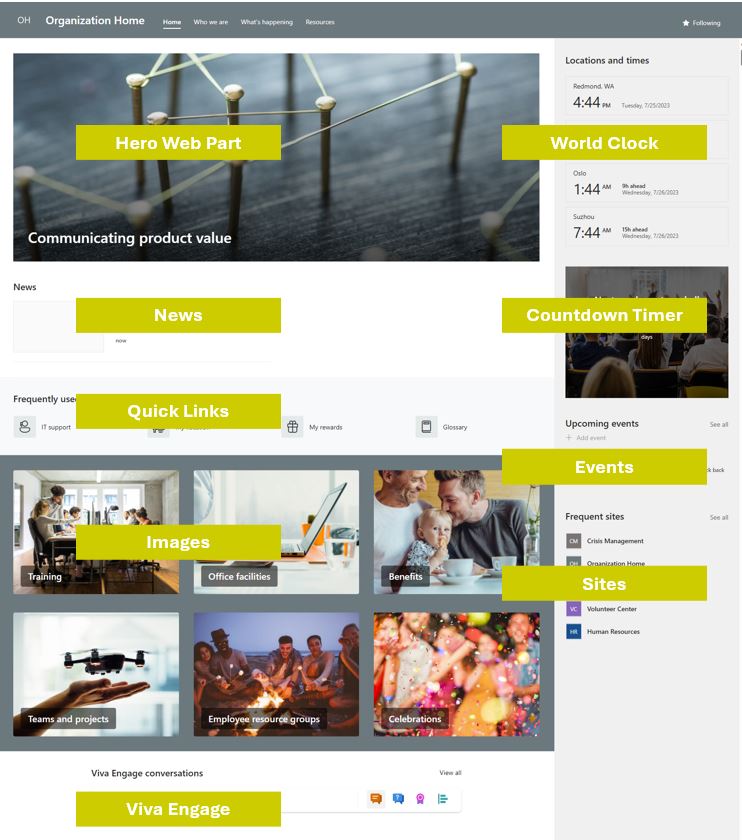
Here you’ll see the notes I’ve added as well as the resources (below) to each of these web part types used:
Resources:
- SharePoint Look Book
- Organization home template (SharePoint Look Book) – Microsoft Adoption
- Quick Tips with Quick Links in #Office365 #SharePoint Online – Tracy van der Schyff
- Create beautiful newsletters with SharePoint Online and Office 365 – Tracy van der Schyff
- Using web parts on SharePoint pages – Microsoft Support
- Add sections and columns on a SharePoint modern page – Microsoft Support
- Customize your #SharePoint Online Theme with Theme Generator – Tracy van der Schyff
- Designing SharePoint sites with beautiful headers – Microsoft Community Hub
- Image sizing and scaling in SharePoint modern pages – Microsoft Support
Web Parts used on the Template (in order used):
- Use the Hero web part – Microsoft Support
- Use the News web part on a SharePoint page – Microsoft Support
- Use the Quick Links web part – Microsoft Support
- Use the Image web part – Microsoft Support
- Use a Viva Engage web part in SharePoint – Microsoft Support
- Use the World clock web part – Microsoft Support
- Use the Countdown timer web part – Microsoft Support
- Use the Events web part – Microsoft Support
- Use the Sites web part – Microsoft Support
- Use the Call to action web part – Microsoft Support
- Use the File and Media web part – Microsoft Support (used to show the Stream video on page)
Video recap of all web parts used:
Contact me:
Do you need help with your #Microsoft365 journey? Hit the “Contact Me” button on “The Guid Stuff” tab at the top of my blog.
Please DO NOT contact me to publish blogs on your behalf, advertise on my site, endorse your product or solve a problem you have (that could have been solved by posting on an online forum). As part of the #Micosoft #Community, we work really hard on content and support that we give back to you, for free – because we really do care. You are always welcome to leave (relevant) comments on my blogs / videos and I’ll respond, as this way, others also get value from it. Stay awesome, keep learning, help others.
 Tracy van der Schyff
Leave a Reply