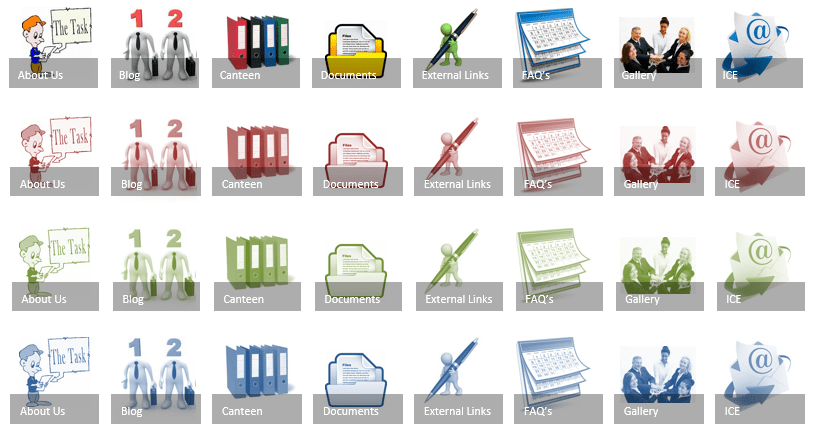
#Office365Challenge - This is the second post with some tips and tricks around creating your own images for Promoted Links in SharePoint, using PowerPoint. In the previous post, I showed you how to create a solid image which is then... Continue Reading →

#Office365Challenge - Not everyone has a creative flair (or at least, they don't know it yet). In the next 3 posts I'll give you some tips and ideas around creating images for your SharePoint Promoted Links list, using PowerPoint. Today... Continue Reading →
#Office365Challenge - Ever need to change data in Excel displayed as columns to rows? No retyping necessary. This is very easy to accomplish with Paste Special - Transpose. Day: 19 of 365, 346 left Tools: Microsoft Office; Excel 2013 Description:... Continue Reading →
#Office365Challenge - Formatting text normally takes me longer than writing the actual content. Today's post will show you how to use Format Painter to apply the same formatting to other text / cells. Day: 18 of 365, 347 left Tools:... Continue Reading →
Ever struggled to align shapes in PowerPoint? And yes, it got easier with the guidelines they brought in a while back. But there is an easier way. MUCH easier. Day: 14 of 365, 351 left Tools: Microsoft Office; PowerPoint 2013... Continue Reading →
Everyone needs to create a presentation at some point. Using PowerPoint is super easy, and it helps if you know some quick wins. Your content might be on the mark, but if the presentation itself is not visually appealing, it... Continue Reading →
 Tracy van der Schyff