
#Microsoft365 - So I have no idea when this was added or what it's called, but I LOVE it!! Take note of the following feature in your #Office365 Excel, Word & PowerPoint: For previous posts in my #Microsoft365Challenge go to the... Continue Reading →
#Microsoft365 - Recently I wrote about making screen recordings with PowerPoint, but did you know you can take screenshots in the other Office programs? For previous posts in my #Microsoft365Challenge go to the index page. Creating a screenshot: In the past,... Continue Reading →

#Microsoft365 - The #Office365 Training Center is a great place to get all the help you need. From videos, quick reference guides, tips & tricks to Infographics. For previous posts in my #Microsoft365Challenge go to the index page. Office 365 Training... Continue Reading →

#Microsoft365 – Ever struggled to align shapes in PowerPoint? And yes, it got easier with the guidelines they brought in a while back. But there is an easier way. MUCH easier. For previous posts in my #Microsoft365Challenge go to the index Align Shapes... Continue Reading →
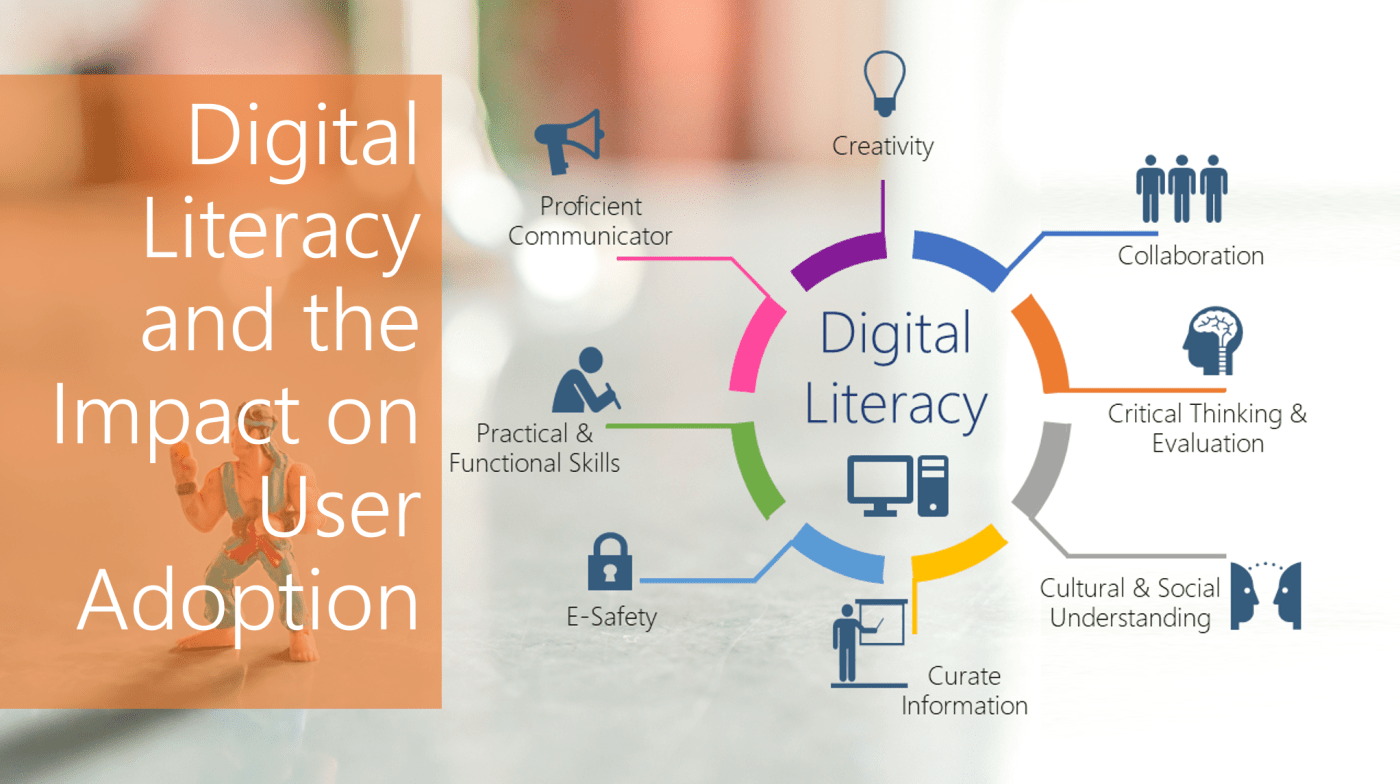
#Microsoft365 #MSIgnite – I recently delivered a session at Microsoft Ignite on Digital Literacy. This is something I'm super passionate about and I'd love to give you some background and explain my thought process. WARNING: This will NOT be a 5... Continue Reading →

#Microsoft365 – I've been spending a lot of time on whitepapers, blogs and researching Digital Literacy. Think everybody you work with is PC Literate? Well you're WRONG. Teaching people the basic skills (you might have forgotten already) will save you a... Continue Reading →
 Tracy van der Schyff