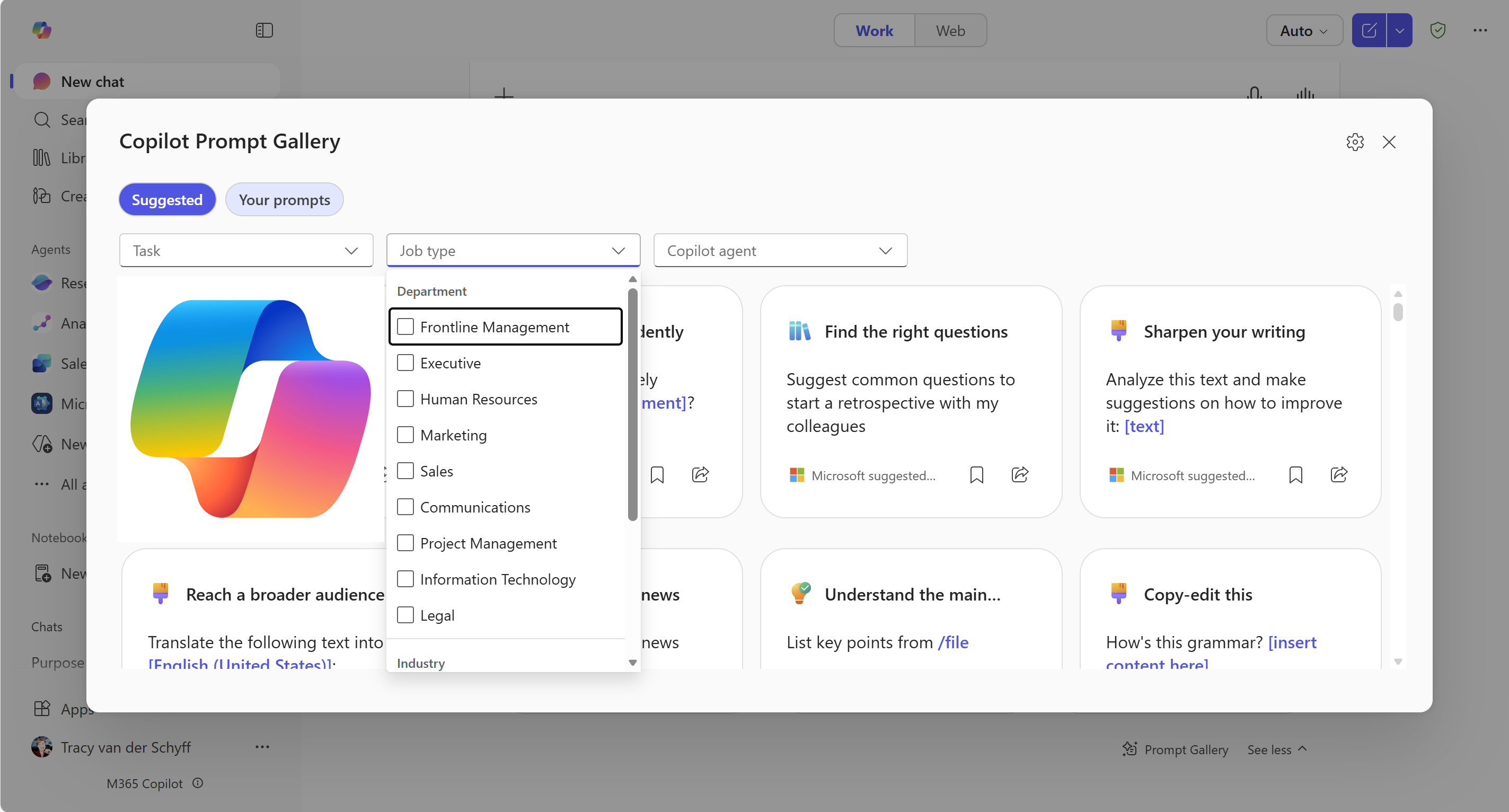
The purpose of the Copilot Prompt Gallery is to give users a single, curated place to discover, learn, personalize, and share effective prompts for #Microsoft365 #Copilot.
Note: Both the Microsoft 365 Copilot Chat (included in M365 license) and the Microsoft 365 Copilot (add-on license) include the Copilot Prompt Gallery.
Learning how to Google (yes, really):
It might sound silly, but it isn’t. I’ve spent years teaching people how to Google effectively. For anyone outside an IT environment, crafting the right search phrase doesn’t come naturally, and the same is true for Copilot prompts. So don’t assume your users will magically “get it.” Just like good search skills, good prompting needs guidance, examples, and practice.
Purpose:
The Copilot Prompt Gallery exists to give users one smart, curated hub where they can explore, learn, customize, and share powerful prompts for Microsoft 365 Copilot. Its purpose is simple: help you find the right prompt, understand how to use it, make it your own, and get better results – faster.
Here’s what it’s built to deliver:
1. Help users learn how to use Copilot effectively
The gallery provides Microsoft‑created prompts, videos, and articles that teach users how to get the best results when prompting Copilot. This content has been moved to the Microsoft 365 Copilot help & learning portal.
2. Serve as a catalog of ready‑made prompts
It offers a comprehensive repository of prompts covering key scenarios across Microsoft 365 apps such as Outlook, Word, Excel, Teams and more. These prompts act as templates that users can use immediately or adapt. This content has been moved to the Microsoft 365 Copilot help & learning portal.
3. Support personalization and advanced usage
Each prompt includes guidance on how to personalize or extend it, helping users build more powerful prompts over time.
4. Encourage collaboration and sharing
Users can save, manage, and share successful prompts with colleagues, supporting organizational knowledge sharing and consistent Copilot usage.
5. Aid adoption and productivity
It helps organizations drive Copilot adoption by giving employees role‑based, function‑based, and industry‑specific prompts, boosting confidence and productivity.
6. Provide a secure, governed space for prompts
Both Microsoft‑authored and user‑created prompts are stored securely in the Microsoft 365 Substrate, ensuring data stays within the organization’s compliance boundaries.
Where to find it:
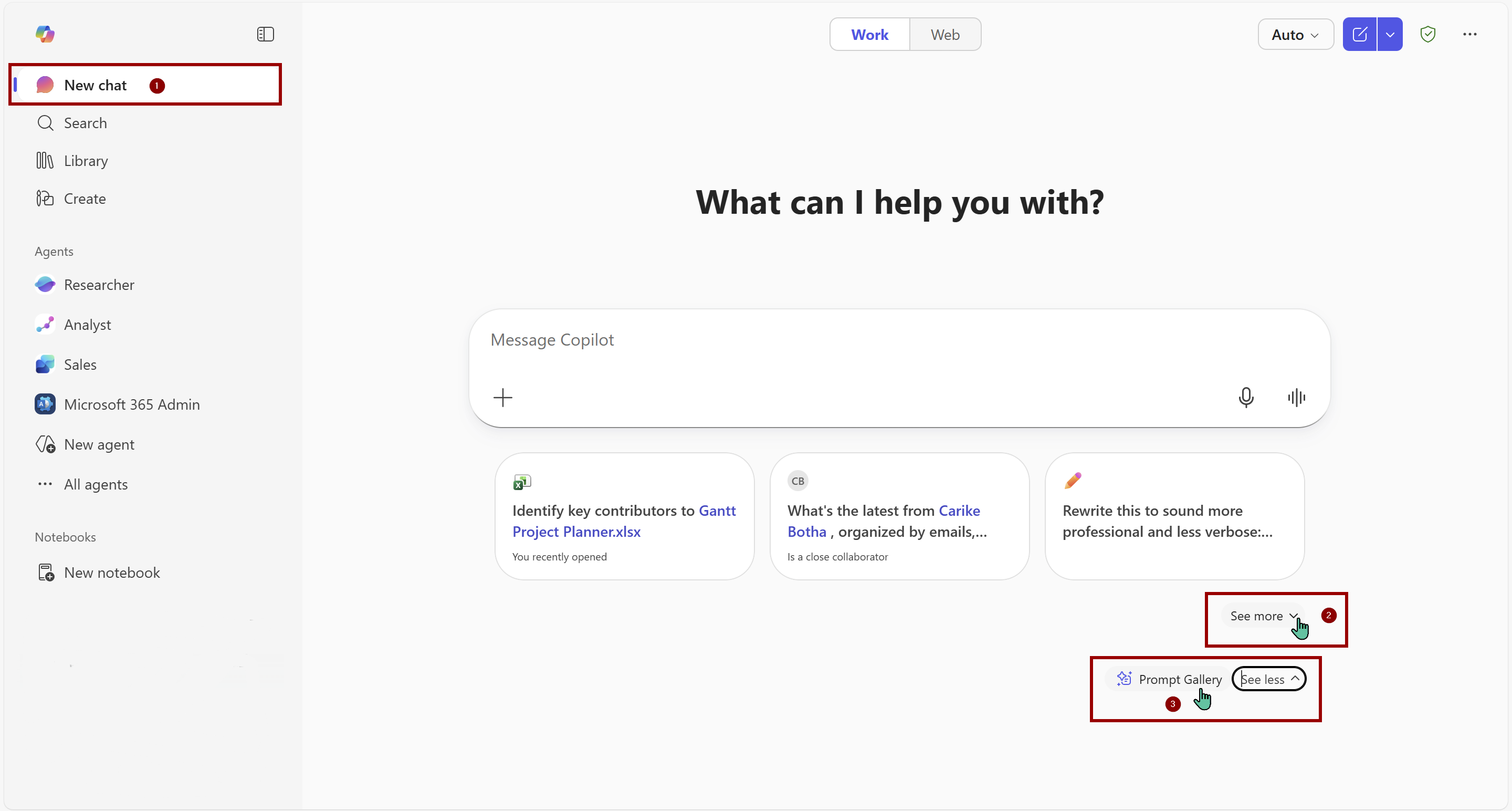
You can find the Prompt Gallery in your Copilot Web / Desktop App. Under the New Chat area (1), click on “See More” (2), then scroll to the bottom and click on “Prompt Gallery”. Alternatively, you can use this link: https://m365.cloud.microsoft/copilot-prompts
In the next article we’ll explore how to use the Prompt Gallery.
“Build confidence, boost creativity, and let Copilot do the heavy lifting. Your journey from beginner to brilliant starts with one good prompt.”
Contact me:
Do you need help with your #Microsoft365 #Copilot journey? Contact me.
Please DO NOT contact me to publish blogs on your behalf, advertise on my site, endorse your product or solve a problem you have (that could have been solved by posting on an online forum). As part of the #Micosoft365 #Copilot #Community, we work really hard on content and support that we give back to you, for free – because we really do care. You are always welcome to leave (relevant) comments on my blogs / videos, and I’ll respond, as this way, others also get value from it.
Stay awesome, keep learning, help others.


Leave a Reply