“Flipping the switch” rarely moves the needle. Copilot changes how people plan, write, analyse, and follow up, which means the rollout must balance tech readiness with human change and leadership alignment. A simple model to keep you honest is to run three workstreams in parallel: Leadership, Technical Readiness, and Human Change. That’s how you get adoption that lasts, not a spike that fades.
Copilot adoption works when you treat it as behaviour change, not a software launch. Run leadership, technical readiness, and human change in parallel; start with a small pilot, scenario‑based training, and champions; measure quality as well as usage; and modernise support to coach safe, confident use.
Again, another text heavy blog, sorry! But I’m trying to save you time to not go through videos to take notes. You can simply copy and paste to start your journey. 😊

“If people don’t use it, your Copilot becomes a parked robot, burning budget while doing nothing.”
Why Copilot adoption work is necessary
- It’s a behaviour change, not a button. Copilot alters how people plan, write, analyse, and follow up, so success depends on running three workstreams in parallel: Leadership, Technical Readiness, and Human Change (not a one‑and‑done launch).
- Data readiness makes or breaks trust. Copilot doesn’t create oversharing; it exposes the oversharing and weak information architecture you already have, which is why a simple digital strategy and permissions hygiene are prerequisites.
- Leaders model the new normal. A visible sponsor plus 3–5 clear business outcomes stabilises the rollout and keeps teams focused on value instead of features.
- Support has to evolve. Helpdesks shift from ticket‑takers to digital coaches who supervise AI interactions, guide validation, and escalate edge cases, baking adoption into day‑to‑day operations.
- Scenarios make it real. Starting with a handful of common, repeatable tasks per function (Finance, Marketing, IT, etc.) gives users immediate wins and shared patterns to copy.
Common pitfalls if you don’t focus on adoption
- Shelfware and “where’s the ROI?” Licenses get assigned, usage spikes briefly, and then flattens, because there’s no story, no scenarios, and no champion network to sustain habits. (The ROI gap is a recurring theme in enterprise assessments.)
- Erosion of trust in AI. If oversharing and messy content aren’t addressed, Copilot will surface confusing or sensitive items and users will blame the tool, not the architecture.
- Training without change. Generic “AI 101” sessions, no role context, and no post‑training reinforcement lead to passive consumption, not new behaviours.
- Compliance and risk gaps. Weak information lifecycle and control mapping (e.g., ISO/IEC 42001, ISO 27001, ISO 15489) turns AI adoption into a governance headache.
- Support overload. Without a modern support playbook, helpdesks field vague tickets (“Copilot doesn’t work”) instead of coaching users on prompts, validation, and safe use.
- Noisy or misleading metrics. Only measuring “minutes saved” ignores quality improvements (fewer rewrites, clearer drafts, more accurate results). Balanced scorecards work better.
- Culture pushback. If leaders don’t model the change (or acknowledge fears), people quietly revert to old habits.
Benefits when you do adoption right
For the organisation
- Measurable impact, not just usage: Pair adoption/usage analytics with quality signals, rework avoided, clearer communications, fewer back‑and‑forths, to tell a credible ROI story.
- Safer data footprint: Oversharing hotspots are reduced as you fix IA/permissions and align to familiar governance, increasing confidence in AI outputs.
- Scalable enablement: Champions, scenario libraries, and rhythm‑of‑business comms drive sustained adoption beyond the pilot.
For teams
- Faster cycles with higher quality: Better first drafts, clearer summaries, and quicker comparisons mean less rework and more time for decisions.
- Consistent ways of working: Shared prompt patterns and repeatable scenarios reduce variance and improve handoffs across roles.
- Smoother support experience: A coaching‑oriented service desk resolves issues faster and upskills users in the process.
For individuals
- Confidence over fear: Simple, role‑based training plus short success stories “de‑mystify” AI and encourage experimentation.
- Clear guardrails: When users know what’s in‑bounds (and how to validate), adoption accelerates safely.
The 10‑step Copilot Adoption Playbook
1) Secure a visible sponsor and agree on success
Name the exec sponsor, set 3–5 business outcomes, and choose two “lighthouse” teams to pilot. Leadership modelling plus clear outcomes beats generic “AI awareness” every time.
2) Prove data readiness before you prove value
Run a quick health check: permissions, oversharing hotspots, ownerless Teams, content in the wrong place. Plain English truth: fix the architecture and sharing habits, and Copilot becomes safer and more useful.
3) Pick high‑trust, repeatable scenarios (not “AI for everything”)
Start with 6–10 everyday tasks per team, summarise meetings, draft status updates, create slide outlines, compare two policies. Use Microsoft’s scenario libraries to make it tangible.
4) Run a small pilot with a champion network
Recruit respected doers (not just techies) as Champions. Give them early access, prompt coaching, and a clear feedback loop. Communications and storytelling from real peers beat any slick launch video.
5) Teach habits, not just features
Keep it role‑based and hands‑on. Train for 30–45 minutes, then “do it live” on real work. Reinforce weekly with short tips, prompt patterns, and guardrails. The User Enablement Guide aligns training with leadership and technical readiness.
6) Communicate like a human (little, often, useful)
Swap “features & roadmaps” for short stories: “Finance saved two hours a week on month‑end notes.” Use Viva Engage or your intranet for wins, FAQs, and weekly “try this” prompts.
7) Measure impact beyond time saved
Track usage and quality: rework avoided, clarity improved, fewer back‑and‑forth emails, better first drafts. Use Adoption Score/Copilot analytics plus sentiment for a balanced picture.
8) Scale with a modern support model
As you expand, update the service desk runbook for AI (coaching, validation, safe‑use nudges, escalation). Make adoption sustainable, not heroic.
9) Create an AI Council and develop a Responsible Use of AI Policy
Creating an AI Council ensures your organisation has a dedicated, cross‑functional group to guide AI adoption, set priorities, and provide executive sponsorship. The Council defines high‑value use cases and oversees user enablement and change management.
A Responsible Use of AI Policy establishes the ethical and compliance guardrails for AI, covering transparency, privacy, fairness, accountability, and regulatory alignment such as GDPR and the EU AI Act. This protects the organisation and ensures safe, consistent use of AI across all teams.
10) Accelerate your AI journey with our Copilot Success Kit
To support and streamline your organisation’s adoption journey, be sure to point teams to the “Accelerate your AI Journey with our Copilot Success Kit”, a central hub of practical resources, templates, guides, and best practices designed to fast‑track responsible, secure, and high‑impact Copilot deployment. The kit brings together scenario libraries, governance guidance, training assets, and change‑management tools, making it easier for leaders, champions, and users to build capability and sustain momentum. Accelerate your AI journey with our Copilot Success Kit
Guardrails & responsible use (keep it simple)
- Permissions first. Reduce oversharing and ownerless workspaces before scaling; Copilot will then surface useful, not risky, content.
- Map to the standards or policies your risk team knows. Anchor policy and practice in ISO/IEC 42001 (AI), ISO 27001 (security), ISO 15489 (records).
- Make validation normal. Teach “trust, but verify, especially for regulated content. Build it into training and support.
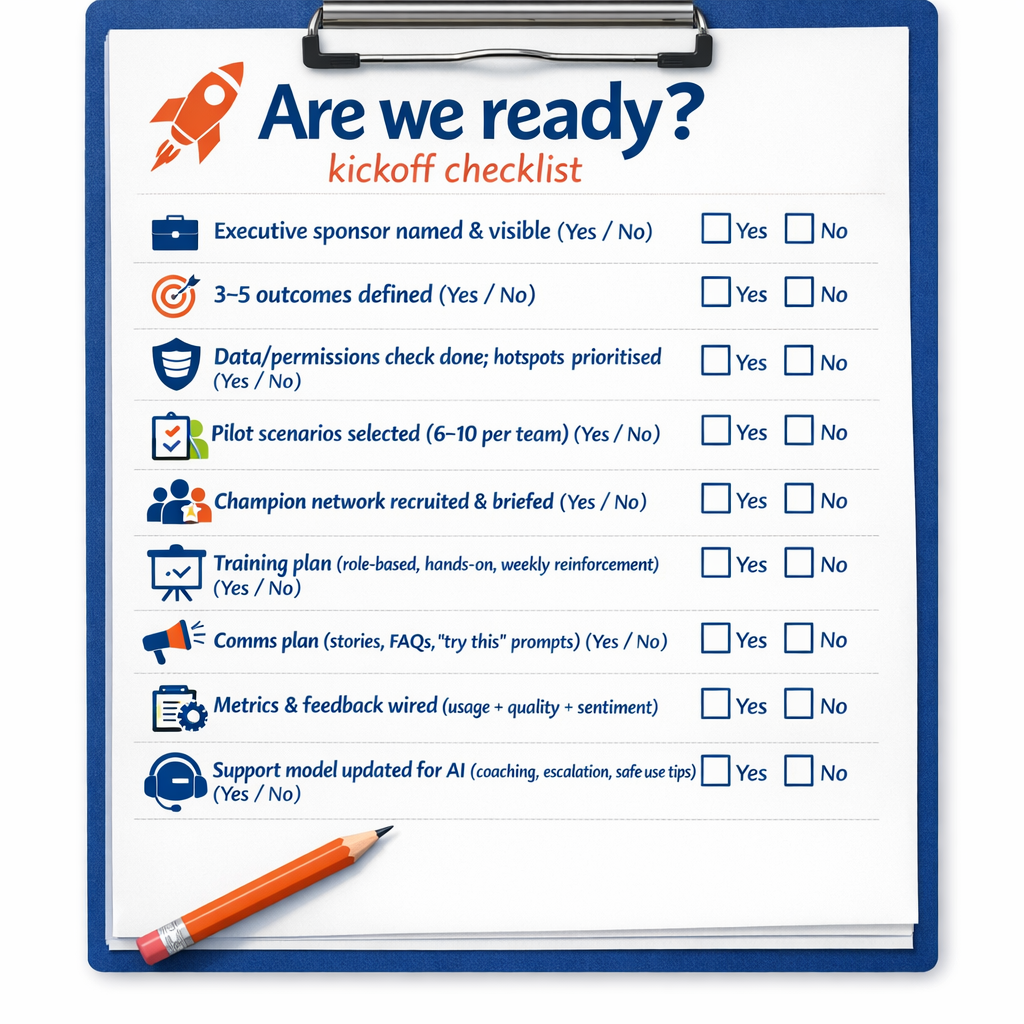
“Are we ready?” kickoff checklist
- Executive sponsor named & visible (yes/no)
- 3–5 outcomes defined (yes/no)
- Data/permissions check done; hotspots prioritised (yes/no)
- Pilot scenarios selected (6–10 per team) (yes/no)
- Champion network recruited & briefed (yes/no)
- Training plan (role‑based, hands‑on, weekly reinforcement) (yes/no)
- Comms plan (stories, FAQs, “try this” prompts) (yes/no)
- Metrics & feedback wired (usage + quality + sentiment) (yes/no)
- Support model updated for AI (coaching, escalation, safe‑use tips) (yes/no)
- AI Council and Policy development (yes/no)
Microsoft Resources:
- Copilot Prompt Gallery
- Microsoft 365 Copilot help & learning
- Accelerate your AI journey with our Copilot Success Kit
- Microsoft 365 Copilot Hub
- Copilot Success Kit
- Flexible Copilot plans for every organization
- Restrict discovery of SharePoint sites and content
- Address oversharing in Microsoft 365 Copilot
- Oversharing Control at Enterprise Scale | Updates for Microsoft 365 Copilot in Microsoft Purview
- Explore agents pre-built for you in Microsoft Copilot Studio
- Introducing Researcher and Analyst in Microsoft 365 Copilot
- Welcome to Copilot in Word
- Get started with Copilot in Excel
- Accelerate your AI journey with our Copilot Success Kit
Other Copilot related blogs I’ve written:
- From Burnout to Balance: My Journey with Microsoft Copilot
- Prompt Like a Pro: Exploring the Purpose of the Copilot Prompt Gallery
- Microsoft 365 Copilot Help & Learning Portal
- The Prompt Gallery Playbook: Level Up Your Copilot Skills
- Beyond Chat: How Copilot Agents Are Transforming Work in 2026
- Copilot: Treat it like a conversation — adjust, refine, iterate!
- Saving Time Daily: 20 Things Copilot Can Already Do for You
- Copilot Chat vs Business vs Enterprise vs Studio: Clear, Simple, Decoded
- Oversharing in the Age of Copilot: Your Data’s Worst Enemy
- How to Use Copilot Researcher for Faster, Better Decision-Making
- Meet Copilot Analyst: Your New Data Scientist on Demand
- Your Copilot Crash Course: 10 Essential Blogs for Every Employee
- Write Smarter in Word with Copilot: Practical Prompts, Safer Content, Better Outcomes
- From Numbers to Insights: Copilot in Excel for Everyone
- Your New Presentation Partner: Discover Copilot for PowerPoint
- Master Your Inbox with AI: Copilot Tips Anyone Can Use
- Copilot & Digital Fluency Across Office: The Best of Excel, Word, Outlook & PowerPoint in One Guide
- The ‘Prompt Library’ Anti‑Pattern: Why You Should Build Decision Trees Instead
- Steal Your Lunch Break Back with Copilot
- Start a Copilot Community with Viva Engage: Share Tips, Tricks, and Prompts that Stick
“Build confidence, boost creativity, and let Copilot do the heavy lifting. Your journey from beginner to brilliant starts with one good prompt.”
Spoiler Alert!! I use Copilot to create my Blog Thumbnails and help fact check my articles / shorten / summarise paragraphs where needed. I also use Napkin.AI to create any infographics I use. Of course I can create my own images, and I ROCK at PowerPoint, but with Copilot I can do SO MUCH MORE, SO MUCH FASTER! I’ve always wanted an assistant, now I do. #WinningAtLife
Contact me:
Do you need help with your #Microsoft365 #Copilot journey? Contact me.
Please DO NOT contact me to publish blogs on your behalf, advertise on my site, endorse your product or solve a problem you have (that could have been solved by posting on an online forum). As part of the #Micosoft365 #Copilot #Community, we work really hard on content and support that we give back to you, for free – because we really do care. You are always welcome to leave (relevant) comments on my blogs / videos, and I’ll respond, as this way, others also get value from it.
Stay awesome, keep learning, help others.

 Tracy van der Schyff
Leave a Reply