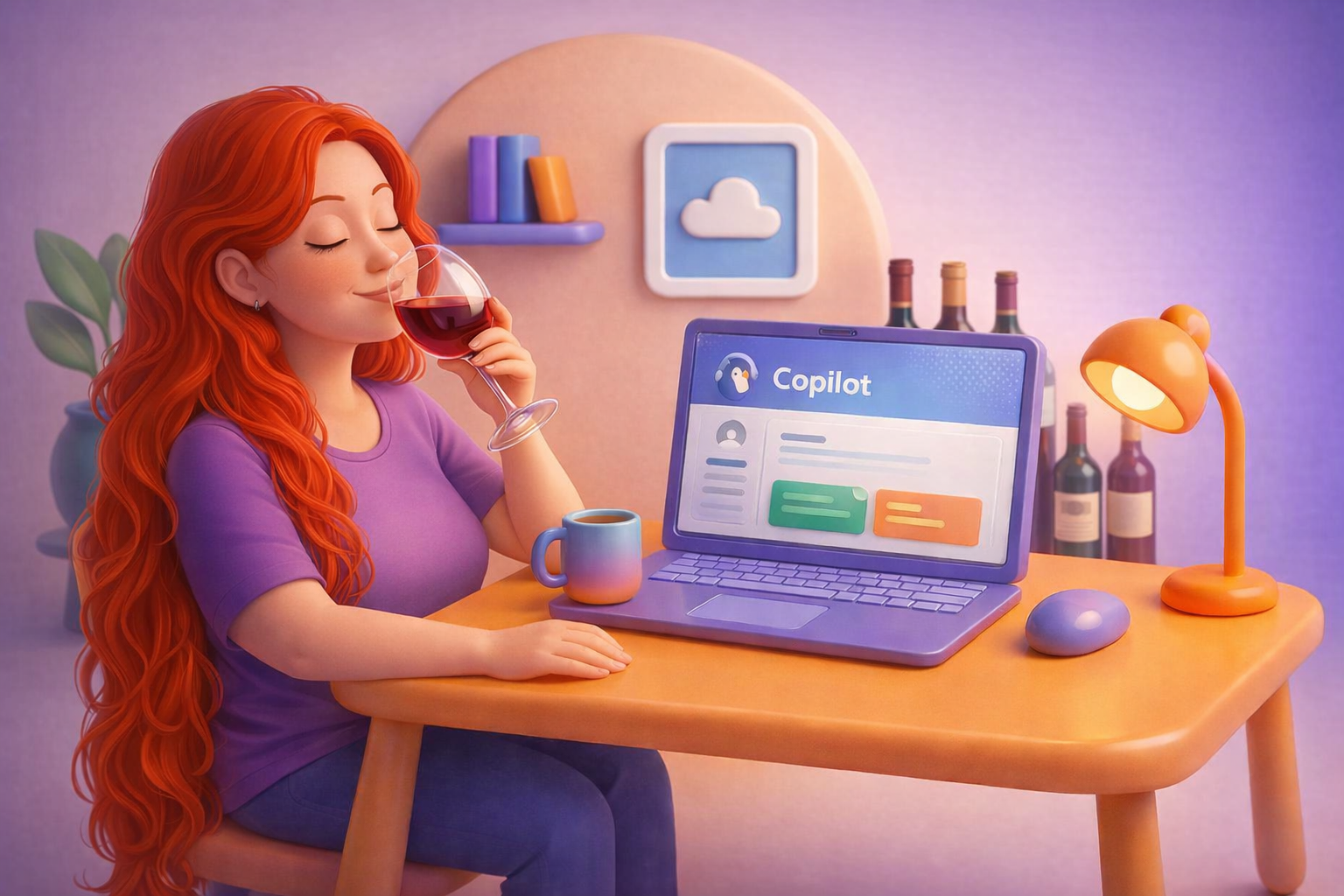
I’m pressing pause on the current theme for my Copilot blog series, not because Copilot isn’t useful, but because I want to prove just how useful it really is beyond boardrooms, project plans, and IT diagrams. Today’s interruption is about wine. And learning. And curiosity. And how Copilot fits beautifully into all of that.
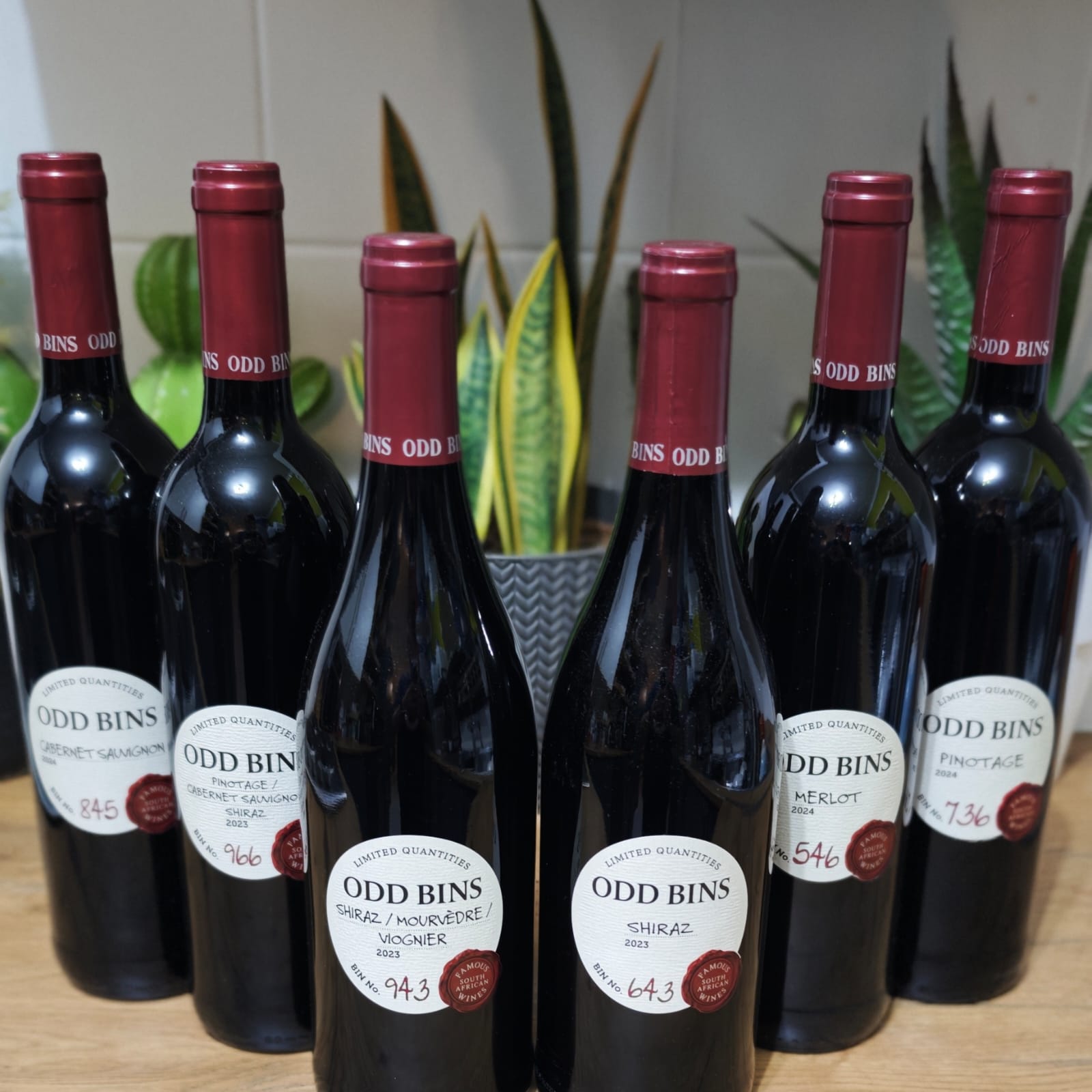
I’ve decided to become a more intentional wine drinker, not overnight, not pretentiously, and definitely not by memorising tasting notes I don’t understand. Instead, I’m using Copilot as my guide while I explore six Odd Bins (more info on Vivino) wines over the next week or two. Copilot is helping me decide where to start, what to pay attention to, how to capture my thoughts, and ultimately how to understand what I actually enjoy.
This is the point I don’t want missed: Copilot is not just for information workers or IT people. It’s for everyday humans who are curious. Humans who love learning. Humans who enjoy wine and want to understand it better without feeling intimidated or overwhelmed. Copilot doesn’t replace the experience; it supports the journey.
Background Info:
Odd Bins is a well‑known, exclusive range of limited‑edition wines available at Checkers and Checkers LiquorShop in South Africa. Each wine is sourced from established local vineyards and sold under a numbered “bin”, with the original estate deliberately kept anonymous. Once a bin sells out, it is not restocked, and the selection changes regularly.
I chose to use Odd Bins for this experiment very intentionally. By removing well‑known labels, estate names, and the romance attached to them, I took brand bias out of the equation. This allowed me to focus purely on grape variety and wine style, rather than reputation, price point, or preconceived ideas about a producer.
Importantly, the purpose of this blog is not to review these wines or share my opinions on which ones are “better.” The focus is the process, not the product. This post is about how I’m using Copilot to guide my learning journey, to decide where to start, what to pay attention to, how to capture observations, and how to reflect meaningfully along the way. The wines are simply the context; Copilot is the constant.
Personal note from the author:
So yes, today’s broadcast is interrupted.
But not by chaos, by curiosity. And Copilot is very much coming along for the ride.
And if I’m being honest, yes — right now, a glass of red wine is helping temporarily soften the nerve‑pain signal my brain insists on sending at full volume. Is this healthy? No. Is it sustainable? Also no — pero en español. This isn’t a solution, it’s a moment.
Rather than letting pain take centre stage, I’ve chosen to flip the focus. To lean into humour. To learn something new. To give my mind a place to rest and explore while my body does what it needs to do, and while I work towards properly restoring my health and wellbeing.
This is where Copilot quietly supports the journey, not as a fix, not as medical advice, but as a learning companion. Helping me stay curious, reflective, and connected to something joyful during an uncomfortable season. Today that curiosity happens to involve wine. Tomorrow, it may be something entirely different (don’t worry, it won’t be meth, I like my teeth too much! 🤣)
One important note before I close: using alcohol to cope is not a healthy long‑term strategy, and it’s not something to face alone. If you ever feel like drinking is becoming a crutch rather than a choice, please reach out, to a healthcare professional, a trusted person in your life, or a support organisation. Asking for help is not weakness; it’s wisdom. ⭐
This post isn’t about drinking more.
It’s about learning more, about wine, about ourselves, and about how tools like Copilot can support curiosity, reflection, and growth in everyday human moments.
And that, for me, is exactly the point.
The Plan:
Instead of Googling endlessly or guessing my way through a tasting, I’m using Copilot to:
- Choose a logical tasting order so my palate can actually learn
- Translate wine terms into plain language I understand
- Help me document my experience without turning it into homework
- Spot patterns in what I like (and don’t)
- Turn messy thoughts into meaningful insights
The purpose here isn’t to “become an expert.” The purpose is to learn with intention, and to show that Copilot can sit just as comfortably next to a glass of wine as it does next to a spreadsheet or strategy document.
How I’m using Copilot to guide my wine journey (step by step)
What makes this experiment different from just “opening a bottle and hoping for the best” is that I’m not relying on guesswork. I’m using Copilot as a thinking partner throughout the journey, from deciding what to drink first, to understanding what I’m tasting, to reflecting on what I’ve learned.
Not as an expert. As a curious human.
Step 1: Letting Copilot decide what to drink first
Before I opened a single bottle, I asked Copilot to help me structure the experience.
Instead of randomly choosing a wine, I asked Copilot to look at the types of wines I had selected and suggest a tasting order that would make sense for someone learning along the way. The goal wasn’t perfection, it was protecting my palate.
Copilot helps me understand that if I start with the boldest, fullest wine, everything after that might taste thin or disappointing. So together, we are working out an order that moves from smooth and approachable to bold and complex.
What I’ll get back isn’t just a list, it will be an explanation of why that order made sense. This alone will shift my mindset from “drinking wine” to learning wine.
Result:
If you go too bold too soon, everything after it tastes “meh.” So, Copilot helped me structure it from easier → bolder:
- Merlot (smoothest, easiest entry)
- Pinotage (South African personality, still friendly)
- Pinotage/Cab/Shiraz blend (balanced bridge wine)
- Cabernet Sauvignon (structured, drier, more serious)
- Shiraz (bold, spicy, full)
- Shiraz/Mourvèdre/Viognier (bold + layered + interesting)
Step 2: Using Copilot to tell me what to pay attention to
One of the reasons wines can feel intimidating is that you’re told to notice everything, aroma, tannins, body, finish – all at once.
So I’ll ask Copilot something very simple:
What should a beginner actually focus on when tasting wine?
Instead of overwhelming me, Copilot will narrow it down to a few key things that I could realistically notice without training:
- How fruity the wine feels
- Whether it feels smooth or dry in my mouth
- How heavy or light it feels
- Whether the flavour disappears quickly or lingers
That will change everything. Suddenly, tasting doesn’t feel like a test. It feels like an observation.
Result:
Instead of fancy words, I will be tracking five things:
- Fruit (cherry/berry/plum vibes)
- Spice (pepper/cinnamon/clove vibes)
- Dryness (that “tea‑like” grip = tannins)
- Body (light vs mouth‑filling)
- Finish (does the flavour disappear fast or hang around?)
Step 3: Capturing my thoughts without turning it into homework
I don’t want pages of tasting notes. I want just enough structure to help me remember what I liked, and why.
Result:
So I’ll use Copilot to help me:
- Create a short, repeatable tasting checklist
- Turn quick bullet notes into a clear summary
- Compare today’s wine to yesterday’s
Perhaps some days I’ll jot down something as vague as: “Smooth, easy, liked this more than yesterday.”
Copilot will help translate that into something more meaningful by spotting patterns across multiple tastings. Over time, that’s how preferences start to emerge, not from one bottle, but from reflection.
Step 4: Asking better questions as my confidence grows
The best part of this journey is how my prompts will evolve.
At the start, my questions can be basic:
- “What does Pinotage usually taste like?”
- “What does ‘dry’ mean in wine?”
As I tasted more, my prompts will naturally change:
- “Why does this Cabernet feel drier than the Pinotage I had yesterday?”
- “What does Mourvèdre add to a Shiraz blend?”
- “Based on my notes so far, what style do I seem to prefer?”
This is where Copilot really shines, not as a search engine, but as a reflection tool. It helps me connect dots I didn’t even realise I was collecting.
Step 5: Understanding the outputs I can expect from Copilot
What Copilot will give me throughout this process isn’t “the right answer.” It gives me:
- Context, not judgement
- Patterns, not opinions
- Language for things I’m already experiencing
By the end of this experiment, Copilot will help me summarise:
- Whether I prefer smooth, fruit‑forward wines or bolder, spicier ones
- How comfortable I am with dryness and tannins
- Which styles I’m most likely to enjoy going forward
That’s incredibly powerful, not because it makes me a wine expert, but because it makes me a more intentional learner.
Why this matters (and why Copilot stays central)
This entire exercise will reinforce something I keep coming back to in my Copilot work:
Copilot isn’t just for information workers.
It’s for anyone who wants to learn something new, without feeling overwhelmed.
Today I’m using it to understand wine. Tomorrow someone else might use it to learn about running, cooking, photography, or gardening.
The topic doesn’t matter. The pattern does.
Copilot helps structure curiosity, support reflection, and turn experience into insight, and that’s exactly what learning should feel like.
Bridging back to the Copilot series
This little wine detour isn’t actually a detour at all.
At its core, this experiment is about the same thing my Copilot series has always been about: learning differently. Not faster for the sake of speed. Not smarter for the sake of sounding clever. But more intentionally, with support, structure, and confidence.
Whether I’m using Copilot to untangle project complexity, make sense of governance, or decide which wine to open next, the pattern is the same. Copilot helps me slow down, ask better questions, capture my thinking, and reflect on what I’m learning along the way. The context changes, spreadsheets, strategy decks, or a glass of red, but the value doesn’t.
This wine journey simply proves the point in a more human way: Copilot isn’t just a work tool. It’s a thinking companion. A learning partner. A quiet guide that meets you exactly where you are.
Closing: Invitation to the reader
So if you’ve been thinking Copilot is “not really for you”, maybe because you’re not in IT, not a project manager, or not sitting behind spreadsheets all day, I hope this gives you pause.
Use Copilot to learn something you care about. Wine. Cooking. Running. Gardening. Photography. Personal finance. Travel planning. Anything.
- Ask it to help you structure your curiosity.
- Help you notice patterns.
- Help you document your journey.
- Help you learn without feeling overwhelmed.
That’s where Copilot truly shines, not only as a productivity tool, but as an everyday learning companion.
This week, it will help you understand wine.
Tomorrow, it might help you understand something completely different.
And that’s really the point. You are more than your job title or your output. You are a whole, curious, passionate human, learning, evolving, and trying to find a bit of balance along the way. Don’t be afraid to let Copilot support you in that. Not to replace who you are, but to walk alongside you as you explore the things that matter to you. 💜
Author’s note: With over 1 000 blogs published, there’s simply not enough time (or wine 🍷) to retroactively update older posts every time features change. I always try to clearly state which version I’m using, so you can easily research what may be new or different from the images or videos I’ve shared. All Copilot‑related blogs I write are based on the Microsoft 365 Copilot for Business add‑on license that I currently use. Where applicable, it will state whether the action / prompt is possible with the Copilot Chat included in your standard Microsoft 365 license.
Microsoft Resources:
- Copilot Prompt Gallery
- Microsoft 365 Copilot help & learning
- Accelerate your AI journey with our Copilot Success Kit
- Microsoft 365 Copilot Hub
- Copilot Success Kit
- Flexible Copilot plans for every organization
- Restrict discovery of SharePoint sites and content
- Address oversharing in Microsoft 365 Copilot
- Oversharing Control at Enterprise Scale | Updates for Microsoft 365 Copilot in Microsoft Purview
- Explore agents pre-built for you in Microsoft Copilot Studio
- Introducing Researcher and Analyst in Microsoft 365 Copilot
- Welcome to Copilot in Word
- Get started with Copilot in Excel
- Accelerate your AI journey with our Copilot Success Kit
- Share your best prompts
- Boost Your Copilot Collaboration with Reusable Prompt Files
- New Copilot Prompt Gallery helps you discover, save, and share your favorite prompts
- Set up a Channel Agent for Microsoft Teams
- Archive or restore a team in Microsoft Teams
- Microsoft Lists Adoption Center
- Microsoft Lists help & learning
- Microsoft Lists adoption resources and videos
Other Copilot related blogs I’ve written:
Copilot Adoption, Tech Readiness & Licensing:
- From Burnout to Balance: My Journey with Microsoft Copilot
- Microsoft 365 Copilot Help & Learning Portal
- The Prompt Gallery Playbook: Level Up Your Copilot Skills
- Beyond Chat: How Copilot Agents Are Transforming Work in 2026
- Copilot Chat vs Business vs Enterprise vs Studio: Clear, Simple, Decoded
- Oversharing in the Age of Copilot: Your Data’s Worst Enemy
- Start a Copilot Community with Viva Engage: Share Tips, Tricks, and Prompts that Stick
- Beyond the Bot: A No‑Drama Playbook for Copilot Adoption
Copilot Prompts and Learning:
- Prompt Like a Pro: Exploring the Purpose of the Copilot Prompt Gallery
- Copilot: Treat it like a conversation — adjust, refine, iterate!
- Saving Time Daily: 20 Things Copilot Can Already Do for You
- How to Use Copilot Researcher for Faster, Better Decision-Making
- Meet Copilot Analyst: Your New Data Scientist on Demand
- Your Copilot Crash Course: 10 Essential Blogs for Every Employee
- Write Smarter in Word with Copilot: Practical Prompts, Safer Content, Better Outcomes
- From Numbers to Insights: Copilot in Excel for Everyone
- Your New Presentation Partner: Discover Copilot for PowerPoint
- Master Your Inbox with AI: Copilot Tips Anyone Can Use
- Copilot & Digital Fluency Across Office: The Best of Excel, Word, Outlook & PowerPoint in One Guide
- The ‘Prompt Library’ Anti‑Pattern: Why You Should Build Decision Trees Instead
- Steal Your Lunch Break Back with Copilot
- Stop Re‑Prompting Copilot. Reuse What Works
- Today’s Broadcast Is Interrupted… by Wine (and Copilot)…
Project Management:
- Using Microsoft Teams + Copilot for Project Management
- Turn Chaos into Clarity: Build a Simple Risk & Issue Register with Teams + Copilot
- Project Management with Copilot: Turning Your Risk & Issue Register into Actionable Insights
- Using Microsoft Copilot with Microsoft Lists: Capabilities, Limits, and Licensing Explained
- Top 10 Copilot prompts for Project Managers
- Modern Project Management: Mapping Activities to Microsoft 365, Copilot & AI Agents
- The Copilot Line Every Project Manager Eventually Crosses
- Channel Agents: The Quiet Superpower Every Project Manager Needs
“Build confidence, boost creativity, and let Copilot do the heavy lifting. Your journey from beginner to brilliant starts with one good prompt. SuperZero to SuperHero in no time!”
Spoiler Alert!! I use Copilot to create my Blog Thumbnails and help fact check my articles / shorten / summarise paragraphs where needed. Where applicable, I also use Napkin.AI to create any infographics I use. Of course I can create my own images, and I ROCK at PowerPoint, but with Copilot I can do SO MUCH MORE, SO MUCH FASTER! I’ve always wanted an assistant, now I do. #WinningAtLife
Contact me:
Do you need help with your #Microsoft365 #Copilot journey? Contact me.
Please DO NOT contact me to publish blogs on your behalf, advertise on my site, endorse your product or solve a problem you have (that could have been solved by posting on an online forum). As part of the #Micosoft365 #Copilot #Community, we work really hard on content and support that we give back to you, for free – because we really do care. You are always welcome to leave (relevant) comments on my blogs / videos, and I’ll respond, as this way, others also get value from it.
Stay awesome, keep learning, help others.

 Tracy van der Schyff
Leave a Reply