How Microsoft Copilot Helped Me Buy Back Time, Find Balance, and Remember to Live.
As some of you might know… I’ve embarked on a bit of a crazy journey over the last six weeks.
I bought a Jetour T2 on a whim. Then I embarked on a 3-day road trip down to Cape Town. And, of course, that wasn’t enough. The road trip continued to Struisbaai, Baardskeerdersbos, Wilderness, back to Baardskeerdersbos, Hermanus and then Cape Town again (Tygervalley), all while working, of course… but working with some balance.

And yes, of course, I used AI to create my blog graphics. I feel that empowered at this phase in my life. How incredible is it that AI can help me create something so meaningful?
Now, the 1,000+ blogs I’ve written over the years have been mostly Microsoft and technology focused. Have I changed my writing style or topics? No. Have I changed the angle? Absolutely.
Because people are afraid of AI.
Should they be? Hell yes. Can AI be used for good? Absolutely. And I’m hell-bent on showing people how I’m doing exactly that.
Apart from showing organisations the value of Microsoft Copilot, I’m also trying to dispel some of the fear surrounding AI. With great power comes great responsibility. We are in charge of this. Whatever good or bad comes from AI is ultimately on us. So why aren’t we spending more time focusing on using it to make a positive difference?
Some background info
Anyone who has known me for more than five years will know that I had a stroke at 45. After a tragedy and loss of a partner, many years ago, I made a decision, consciously or unconsciously, to make my career and my clients my purpose. You know the saying:
Find the thing you love and let it kill you.
Well… I’ve tried that repeatedly (through working way too hard). But the recent road trip showed me something important. I hadn’t necessarily dealt with all the sadness. I had simply learned how to cover it with work.
The real road trip wasn’t about the Jetour
The interesting part is that this story isn’t really about a vehicle. And it’s not even really about travelling. It’s about what happens when technology starts giving you back time. My original road trip was planned using Copilot by someone I deeply respect, Nistasja van Deventer. But Nistasja didn’t simply use Copilot to plan a route. She used it to create an experience. An experience designed to force a recovering control freak completely out of their comfort zone.
The trip was planned in such a way that I had no idea what was coming next. No clue where I would sleep. No clue what I would see. No clue where I would end up.
For someone who likes plans, backup plans, contingency plans and spreadsheets… this was exactly what I needed. You can read more about that journey here: Created with AI. Crafted by Nistasja. Experienced by Me. The real magic wasn’t Copilot. It was the creativity, care and thoughtfulness Nistasja brought to it.
Buying back time
During my visit to Baardskeerdersbos, a friend and I were chatting over breakfast about Copilot. He said something that stuck with me. Copilot gives him back 15 or 30 minutes after a specific task. Time he can spend doing something more valuable. Something strategic. Something meaningful. And that’s the REAL value.
Over the last year, I’ve been using Copilot to buy back time. I very seldom work weekends now. I avoid working evenings whenever possible.
Do I have less work? No. I have more work than ever. But Copilot has helped me reclaim enough time to actually have a life. To take road trips. To drink wine with friends. To sit on a beach. To stop constantly running.
And that, for me, is where the real value lies.
“But how do you actually use it?”
Well, I’m on Teams calls for 8–10 hours a day on a good day. Most of those calls I’m facilitating, presenting, advising or leading. Which means there is zero opportunity to multitask and get actual work done. Historically that translated into evenings, weekends and a permanently overflowing to-do list. Today, Copilot helps me complete tasks significantly faster.
Not because it does my work. Because it removes unnecessary effort.

Examples of my value adding prompts:
- Email rewriting and boundary setting – Rewrite this slightly more in my voice. Professional but friendly. Clear boundaries. Concise.
- Proposal, contract and SOW reviews – Please review this proposal and highlight risks, assumptions, gaps or unclear pricing.
- Turning technical information into business language – Rewrite this for business users.
- Microsoft 365 feature summaries – Give me a list of new SharePoint features launched since…
- Governance and best-practice validation – Is this best practice?
- SharePoint information architecture – What’s the best way to show…
- Proposal and commercial content creation – Add a clause for subcontracting.
- House build decision support – Help me validate design ideas and options.
- Financial calculations and scenario planning – Please help me estimate life cover requirements.
- My favourite prompt – Please rewrite this slightly more in my voice while keeping it professional, concise and clear (and sounding less like a miserable cow).
The prompt that probably saves me the most time
“Please review this and rewrite it slightly more in my voice, while keeping it professional, concise and clear.”
Want to learn more about improving your prompts? Copilot: Treat it like a conversation — adjust, refine, iterate!
If you’re thinking AI does all my work, you’re wrong. I still write. I still think. I still review. I still challenge the output. I still rewrite. The biggest value Copilot provides isn’t the writing.
It’s the removal of mental fatigue.
The fatigue that comes from constantly switching between consultant, business owner, marketer, trainer, architect, project manager, community leader and friend throughout the day.
And here’s the interesting part. The more you prompt → review → refine → rewrite → learn… The better you get at it.
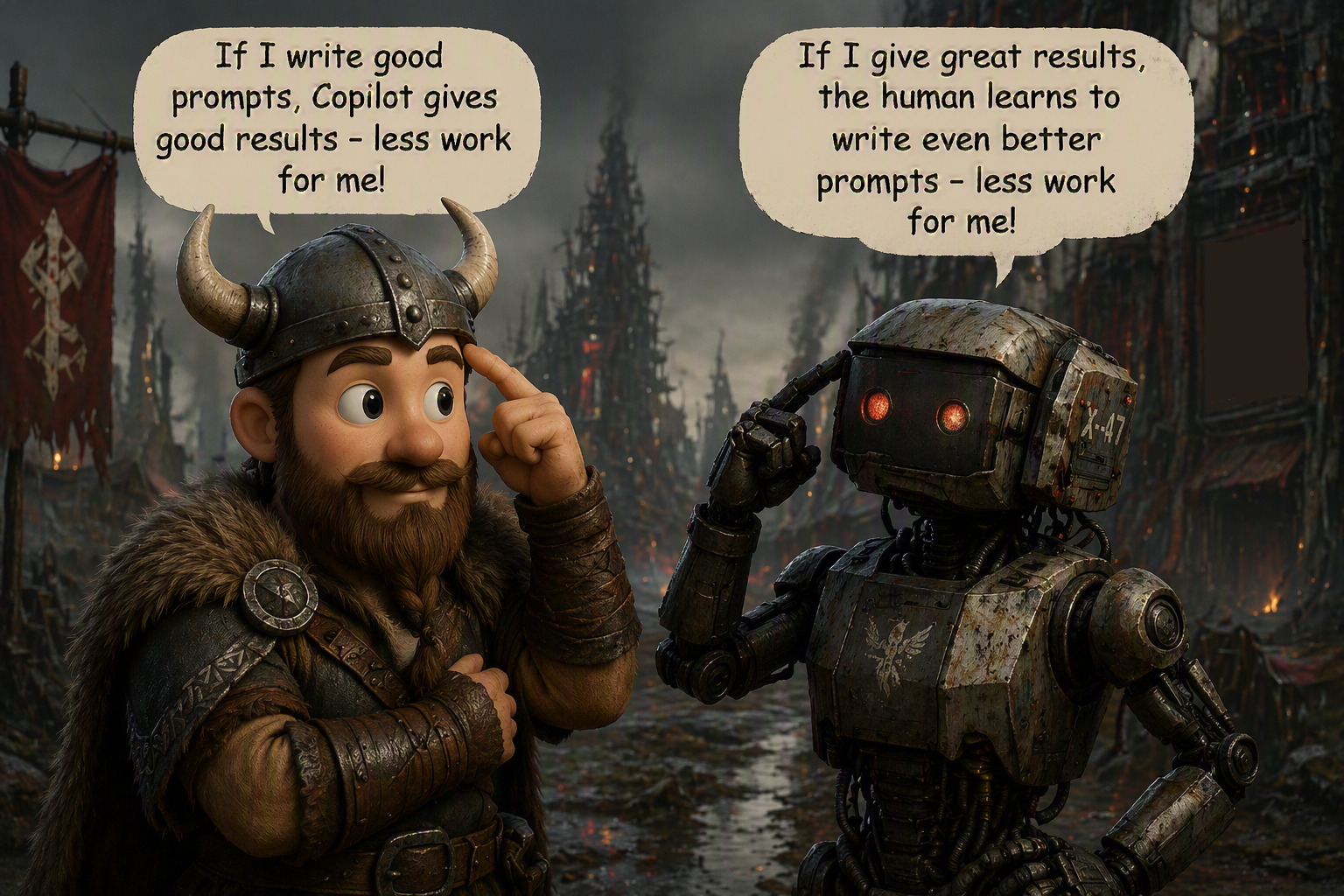
AI can be good. Really good. Can AI be used with bad intentions? Absolutely. But it can also help protect you from those same risks. I’ve written about that here: Using AI (Copilot) to Protect Yourself from AI.
My hope is that by sharing my story, you’ll become a little less afraid of AI. Not because it’s perfect. Not because it’s magical. But because, when used intentionally, it can create something most of us desperately need:
More time. More balance. More life.
Six weeks ago, I bought a Jetour T2 on a whim. What I didn’t realise was that the real journey wouldn’t be measured in kilometres travelled. It would be measured in perspective gained. AI didn’t take me on a road trip. It simply gave me back enough time to remember I needed one. ❤️

As I look back on this journey, I realise the road trip wasn’t really about the destinations. It was about pausing long enough to notice them. South Africa has a way of surprising you when you slow down. A sunrise over the ocean. A gravel road disappearing into the distance. A small town you’ve never heard of. Mountains that make you pull over simply to stare. I live in one of the most diverse and beautiful countries in the world, yet so often I’m too busy to truly see it. If you’d like to, take the time to check out these gems: Struisbaai | Baardskeerdersbos | Wilderness | Hoekwil | Hermanus
This trip reminded me that adventure doesn’t always require a passport. Sometimes it simply requires a full tank of fuel, an open mind, and the willingness to take the long way home. For that, and for the privilege of calling this country home, I am deeply grateful.

Stay awesome. Chat soon. ❤️🤘
Author’s note: With over 1,000 blogs published, there’s simply not enough time (or wine 🍷) to retroactively update older posts every time features change. I always try to clearly state which version I’m using, so you can easily research what may be new or different from the images or videos I’ve shared. All Copilot‑related blogs I write are based on the Microsoft 365 Copilot for Business add‑on license that I currently use (most prompts are available with the “free included Copilot” which I regularly test in). Where applicable, it will state whether the action / prompt is possible with the Copilot Chat included in your standard Microsoft 365 license.
“Build confidence, boost creativity, and let Copilot do the heavy lifting. Your journey from beginner to brilliant starts with one good prompt. SuperZero to SuperHero in no time!”
Join our Copilot Zero to Hero program here: Copilot: Zero to Hero: AI Supercharged #LearningThroughSharing #Community #Microsoft
Other Copilot related blogs I’ve written:
Copilot & Wellbeing:
- Using AI (Copilot) to Protect Yourself from AI
- From Burnout to Balance: My Journey with Microsoft Copilot
- Using AI (Copilot) to Protect Yourself from AI
- Created with AI. Crafted by Nistasja. Experienced by Me.
Copilot Adoption, Tech Readiness & Licensing:
- Using AI (Copilot) to Protect Yourself from AI – Tracy van der Schyff
- Microsoft 365 Copilot Help & Learning Portal
- The Prompt Gallery Playbook: Level Up Your Copilot Skills
- Beyond Chat: How Copilot Agents Are Transforming Work in 2026
- Copilot Chat vs Business vs Enterprise vs Studio: Clear, Simple, Decoded
- Oversharing in the Age of Copilot: Your Data’s Worst Enemy
- Start a Copilot Community with Viva Engage: Share Tips, Tricks, and Prompts that Stick
- Beyond the Bot: A No‑Drama Playbook for Copilot Adoption
Copilot Prompts and Learning:
- Prompt Like a Pro: Exploring the Purpose of the Copilot Prompt Gallery
- Copilot: Treat it like a conversation — adjust, refine, iterate!
- Saving Time Daily: 20 Things Copilot Can Already Do for You
- How to Use Copilot Researcher for Faster, Better Decision-Making
- Meet Copilot Analyst: Your New Data Scientist on Demand
- Your Copilot Crash Course: 10 Essential Blogs for Every Employee
- Write Smarter in Word with Copilot: Practical Prompts, Safer Content, Better Outcomes
- From Numbers to Insights: Copilot in Excel for Everyone
- Your New Presentation Partner: Discover Copilot for PowerPoint
- Master Your Inbox with AI: Copilot Tips Anyone Can Use
- Copilot & Digital Fluency Across Office: The Best of Excel, Word, Outlook & PowerPoint in One Guide
- The ‘Prompt Library’ Anti‑Pattern: Why You Should Build Decision Trees Instead
- Steal Your Lunch Break Back with Copilot
- Stop Re‑Prompting Copilot. Reuse What Works
- Today’s Broadcast Is Interrupted… by Wine (and Copilot)
Microsoft Resources:
- Copilot Prompt Gallery
- Microsoft 365 Copilot help & learning
- Accelerate your AI journey with our Copilot Success Kit
- Microsoft 365 Copilot Hub
- Copilot Success Kit
- Flexible Copilot plans for every organization
- Restrict discovery of SharePoint sites and content
- Address oversharing in Microsoft 365 Copilot
- Oversharing Control at Enterprise Scale | Updates for Microsoft 365 Copilot in Microsoft Purview
- Explore agents pre-built for you in Microsoft Copilot Studio
- Introducing Researcher and Analyst in Microsoft 365 Copilot
- Welcome to Copilot in Word
- Get started with Copilot in Excel
- Accelerate your AI journey with our Copilot Success Kit
- Share your best prompts
- Boost Your Copilot Collaboration with Reusable Prompt Files
- New Copilot Prompt Gallery helps you discover, save, and share your favorite prompts
- Set up a Channel Agent for Microsoft Teams
- Archive or restore a team in Microsoft Teams
- Microsoft Lists Adoption Center
- Microsoft Lists help & learning
- Microsoft Lists adoption resources and videos
Contact me:
Do you need help with your #Microsoft365 #Copilot journey? Contact me.
Please DO NOT contact me to publish blogs on your behalf, advertise on my site, endorse your product or solve a problem you have (that could have been solved by posting on an online forum). As part of the #Micosoft365 #Copilot #Community, we work really hard on content and support that we give back to you, for free, because we really do care. You are always welcome to leave (relevant) comments on my blogs / videos, and I’ll respond, as this way, others also get value from it.
Stay awesome, keep learning, help others.

 Tracy van der Schyff
Leave a Reply