How Copilot went from “nice try” to creative sidekick, and why humans still matter most.
If you’ve ever been on a Teams call with me or seen a YouTube video of an interview, you would recognize this wall “behind the redhead” for sure!! I painted this wall on the 5th of April 2020. It was my 21st project in the first 11 days of COVID lockdown.
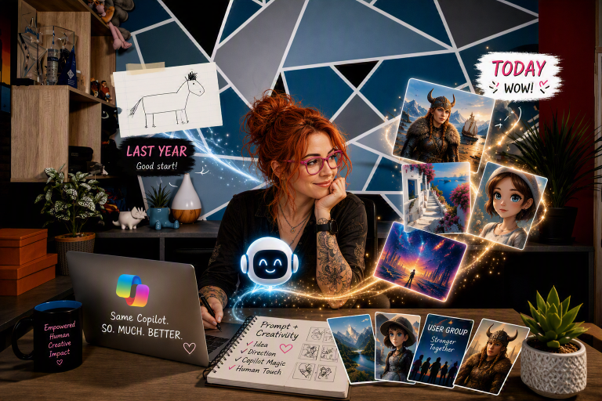
(Also, can we just giggle about how that girl is trying to write on her laptop with a pen, or how bad the “text” looks on the laptop or mug? 🤣. Also, this blog is not really about a wall. It is about what happens when everyday tools become creative partners. And wow, Copilot has grown up fast.)
I recently started getting itchy about painting it another colour. Green, seeing as I’m on a bit of a “green streak”. Anyhoo, did some mockups (PowerPoint and photo filling in MS Paint) and then decided I’m too lazy, and why on earth would I repaint the wall, if I could do it digitally. And THEN, I realized I didn’t have to paint it at all, I could just replace my Teams Background.
A couple of years ago, I took a photo of my perfectly tidy office and started using it as my Teams background. Best decision ever.
It means I never have to worry about the actual state of my office. And because I travel so much, it also means I can be on a work call while sitting somewhere far more interesting. Who knows, maybe a beach bar. Maybe a mojito. I’ll never tell.
Anyhoo, to make a long story even longer…, this brings me to being creative, when using various tools in the Microsoft suite. Also, if you’re looking for short blog posts on how to use Copilot, head over to the Accelerate your Microsoft 365 Copilot adoption site and the Microsoft 365 Copilot Blog on Tech Community. You’re NOT gonna get a short story from me. I write baby books, all the time. You’re welcome to unfollow me if you want more tech and less life. But, if you’re into some travel stories and learn some tech along the way, I’ve got you!
PowerPoint – The Beginning
It kinda started with PowerPoint. My “go-to” tool for graphics. Yeah, I know, also, I don’t care. And most of your employees have PowerPoint, not other fancy tools, so how nice that they can use it to create some graphics as well.
Wait, WAIT… it didn’t start with PowerPoint. It started in Excel! Yes!!
A gazillion years ago (December 2011) I did a solo bike trip across the Western Cape, to try to help myself heal after the loss of my fiancé, Gert Mynhardt. I “blogged” this on Facebook as I didn’t have a WordPress blog then. Already the avid traveller and eager storyteller, I used Excel, I would paste images, add PNGs and then take more screenshots to then post either my day’s trips, or the next day’s planning (also because my sister is a control freak and insisted on knowing where I would be, when, so she could make sure I’m safe – love you suez).
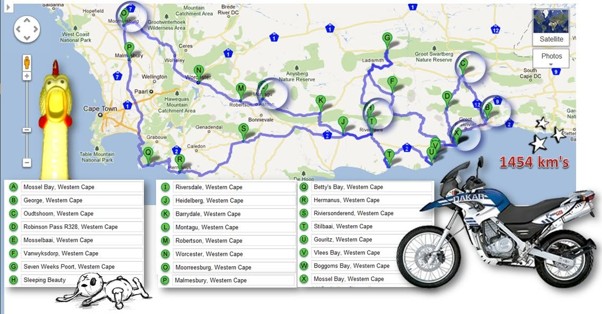
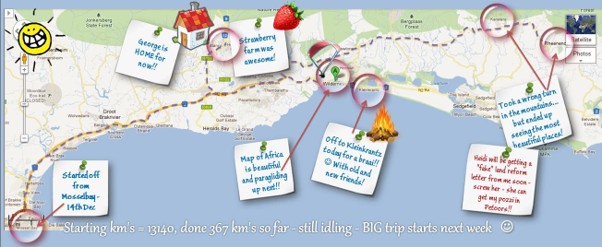
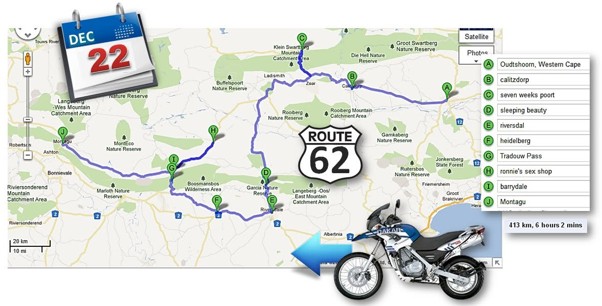
After this, I realized PowerPoint was more suitable for graphics, and my love for the amazing application started, and grew. When Designer was launched in 2016 (10 years!!) I was not a happy girl. Ain’t no “robot” telling this girl to do things, when she can do it herself. It took me a bit of time to realize that yes, it’s not 100% what I wanted, but I could now create so much more, so much faster. For me Designer in PowerPoint was my entry to Creating with Copilot.
In May last year, I designed my first graphic in Copilot. I thought it was pretty terrible (what a lovely oxymoron), and I’ll take 50% of that blame, but the rest is on you Copilot. I got 12 likes and my bestie commented (because she has to, that’s how support works).
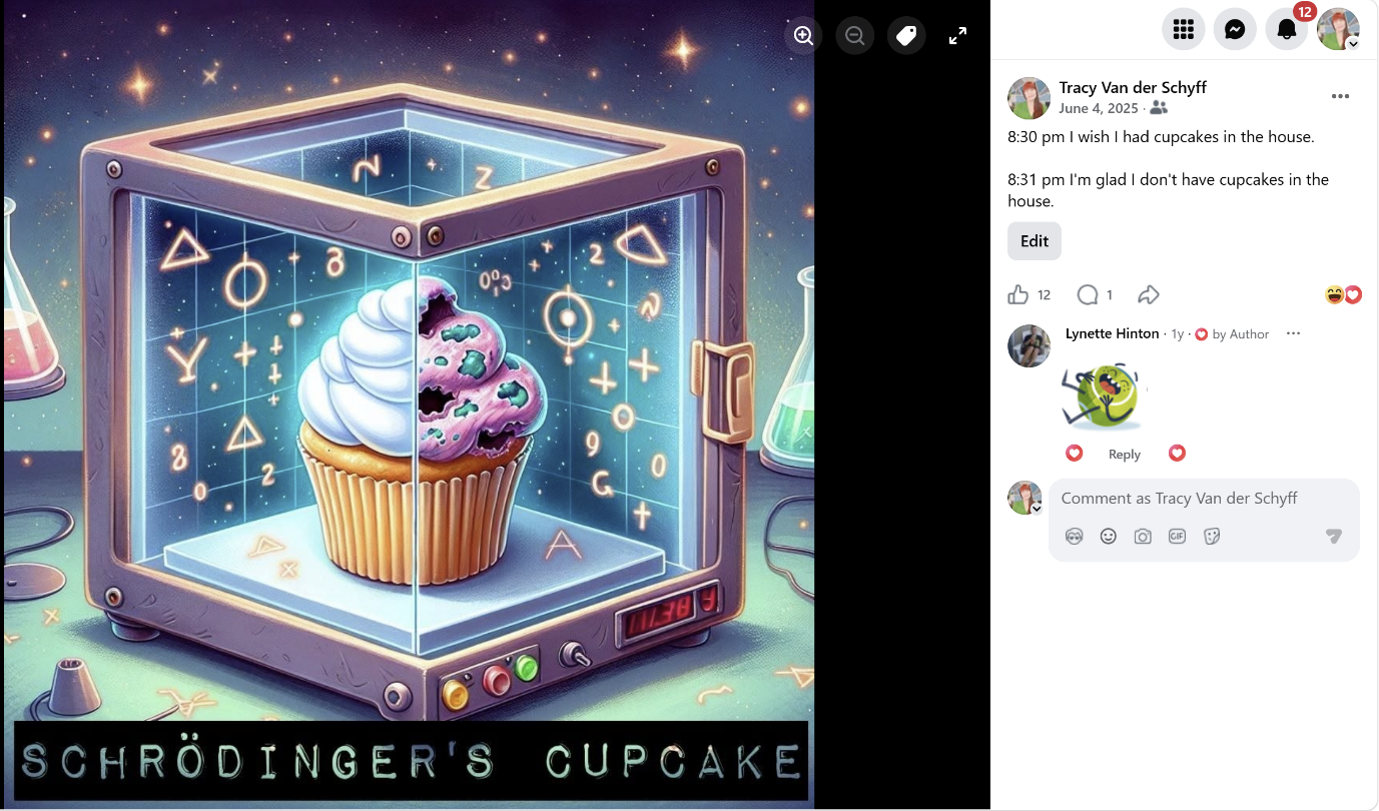
But instead of backing off, saying “nah, not great at graphics, let me buy another product”, I kept on trying, and because I (and millions of others) kept on trying, it got better. MUCH BETTER!
Ok. Back to the Office Wall.
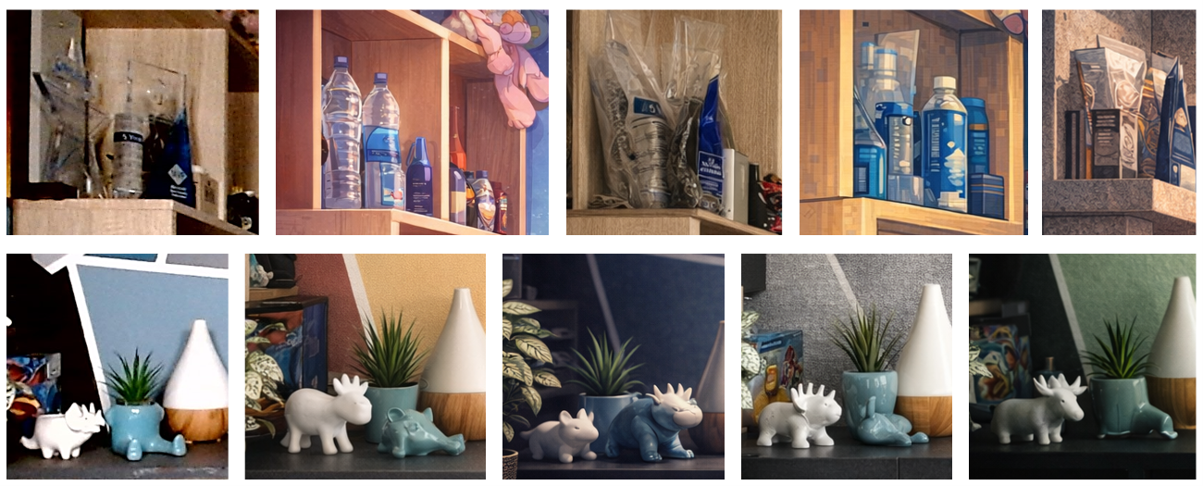
So, I fed the photo I took of my Office Wall into Copilot and asked it to redo it with other colours. WOW. And I’ve started using some of these. But here’s the funny part. You need to pay attention to a few things…, which of course, I’ll bluntly point out 🤣.
Painting the wall (blood, sweat and tears not represented in the photos):
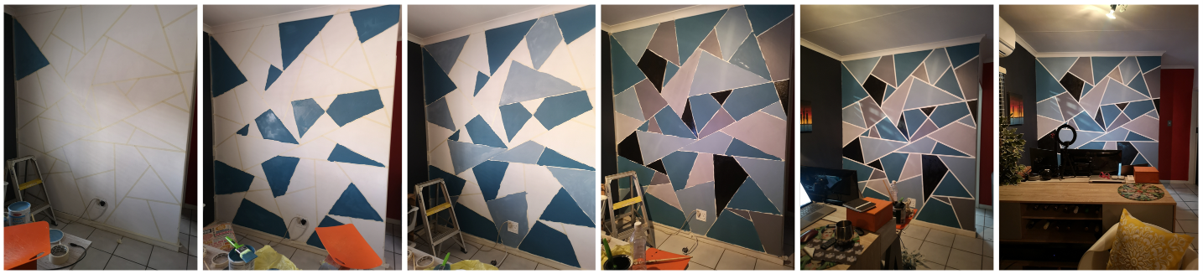
Photo of actual wall (used for Teams Background):

New renditions:

LOVED IT!! My favourite being first top left, and last bottom right. Now let me highlight the flaws, which have had me laughing until I cried:
My MVP Award tower has become all types of funnies, including water bottles. And let me not even say what I think about my blue planter pot with two legs, what the actual is that???!!… 🤣🤣🤣
Copilot is here to help you, but you need to do your part. What I’ve learned from creating with Copilot:
- Give it context.
- Be specific about style and purpose.
- Expect weirdness.
- Review every detail.
- Laugh at the mistakes.
- Refine, refine, refine.
- Don’t outsource your judgment.
You would never hand work to a brand-new assistant, skip the review completely, and send it out as your own polished masterpiece. So why are we doing that with AI? So here’s the point I’m trying to make. Copilot is not here to replace your creativity. It is here to stretch it. But you still need to show up. You still need to guide it, review it, challenge it, laugh at the weird bits, and refine the output until it feels right.
- Because AI can help you create faster.
- But your judgment is what makes it useful.
- Your humour is what makes it human.
- And your story is what makes it matter.
- This blog will share more tips on reviewing: Copilot: Treat it like a conversation — adjust, refine, iterate!
Same Copilot. So. Much. Better. But still better with you in the loop. A year ago, I was asking Copilot to make something usable. Today, I’m asking it to make something beautiful. That is a massive shift. The most interesting thing wasn’t just that Copilot got better. It was how much more ambitious I became about what I thought was possible.
Stay awesome. ❤️🤘
Author’s note: With over 1,000 blogs published, there’s simply not enough time (or wine 🍷) to retroactively update older posts every time features change. I always try to clearly state which version I’m using, so you can easily research what may be new or different from the images or videos I’ve shared. All Copilot‑related blogs I write are based on the Microsoft 365 Copilot for Business add‑on license that I currently use (most prompts are available with the “free included Copilot” which I regularly test in). Where applicable, it will state whether the action / prompt is possible with the Copilot Chat included in your standard Microsoft 365 license.
“Build confidence, boost creativity, and let Copilot do the heavy lifting. Your journey from beginner to brilliant starts with one good prompt. SuperZero to SuperHero in no time!”
Join our Copilot Zero to Hero program here: Copilot: Zero to Hero: AI Supercharged #LearningThroughSharing #Community #Microsoft
Other Copilot related blogs I’ve written:
Copilot & Wellbeing:
- From Burnout to Balance: My Journey with Microsoft Copilot
- Using AI (Copilot) to Protect Yourself from AI
- Created with AI. Crafted by Nistasja. Experienced by Me.
- The Real Road Trip Wasn’t About the Jetour – Tracy van der Schyff
Copilot Adoption, Tech Readiness & Licensing:
- Microsoft 365 Copilot Help & Learning Portal
- The Prompt Gallery Playbook: Level Up Your Copilot Skills
- Beyond Chat: How Copilot Agents Are Transforming Work in 2026
- Copilot Chat vs Business vs Enterprise vs Studio: Clear, Simple, Decoded
- Oversharing in the Age of Copilot: Your Data’s Worst Enemy
- Start a Copilot Community with Viva Engage: Share Tips, Tricks, and Prompts that Stick
- Beyond the Bot: A No‑Drama Playbook for Copilot Adoption
Copilot Prompts and Learning:
- Prompt Like a Pro: Exploring the Purpose of the Copilot Prompt Gallery
- Copilot: Treat it like a conversation — adjust, refine, iterate!
- Saving Time Daily: 20 Things Copilot Can Already Do for You
- How to Use Copilot Researcher for Faster, Better Decision-Making
- Meet Copilot Analyst: Your New Data Scientist on Demand
- Your Copilot Crash Course: 10 Essential Blogs for Every Employee
- Write Smarter in Word with Copilot: Practical Prompts, Safer Content, Better Outcomes
- From Numbers to Insights: Copilot in Excel for Everyone
- Your New Presentation Partner: Discover Copilot for PowerPoint
- Master Your Inbox with AI: Copilot Tips Anyone Can Use
- Copilot & Digital Fluency Across Office: The Best of Excel, Word, Outlook & PowerPoint in One Guide
- The ‘Prompt Library’ Anti‑Pattern: Why You Should Build Decision Trees Instead
- Steal Your Lunch Break Back with Copilot
- Stop Re‑Prompting Copilot. Reuse What Works
- Today’s Broadcast Is Interrupted… by Wine (and Copilot)
Microsoft Resources:
- Copilot Prompt Gallery
- Microsoft 365 Copilot help & learning
- Accelerate your AI journey with our Copilot Success Kit
- Microsoft 365 Copilot Hub
- Copilot Success Kit
- Flexible Copilot plans for every organization
- Restrict discovery of SharePoint sites and content
- Address oversharing in Microsoft 365 Copilot
- Oversharing Control at Enterprise Scale | Updates for Microsoft 365 Copilot in Microsoft Purview
- Explore agents pre-built for you in Microsoft Copilot Studio
- Introducing Researcher and Analyst in Microsoft 365 Copilot
- Welcome to Copilot in Word
- Get started with Copilot in Excel
- Accelerate your AI journey with our Copilot Success Kit
- Share your best prompts
- Boost Your Copilot Collaboration with Reusable Prompt Files
- New Copilot Prompt Gallery helps you discover, save, and share your favorite prompts
- Set up a Channel Agent for Microsoft Teams
- Archive or restore a team in Microsoft Teams
- Microsoft Lists Adoption Center
- Microsoft Lists help & learning
- Microsoft Lists adoption resources and videos
Contact me:
Do you need help with your #Microsoft365 #Copilot journey? Contact me.
Please DO NOT contact me to publish blogs on your behalf, advertise on my site, endorse your product or solve a problem you have (that could have been solved by posting on an online forum). As part of the #Micosoft365 #Copilot #Community, we work really hard on content and support that we give back to you, for free, because we really do care. You are always welcome to leave (relevant) comments on my blogs / videos, and I’ll respond, as this way, others also get value from it.
Stay awesome, keep learning, help others.


Leave a Reply